Last week, I rebuilt my Y Combinator W21 company using Scott AI, Codex, Claude Code, and AI for supply side instead of people.
Introducing Townies.ai, a marketplace for AI local experts.
How it started
During YC W21, we built Newzip, an online marketplace for neighborhood advice.
We made it easy to connect with local experts for questions like, "What neighborhood should I live in?" and "What school should I send my kids to?" while helping local creators monetize their unique knowledge.
It was the height of COVID, and people around the world were rethinking where to live. The vision for this marketplace felt compelling: get advice from a local expert anywhere in the world. In theory, if it worked, this would have been useful for housing, schools, kid activities, restaurants, childcare, outdoors, shopping, and much more.
I wrote about the challenges with this idea here, but the tl;dr is that the pain was too infrequent.
How it's going
Last week, I read Ludovic's post about rebuilding Afrostream in 5 hours and thought, "I'll bet I could rebuild Newzip from scratch in an hour." Our app was dead-simple. The hard part was the human supply side. What if they were AI agents instead?
On Thursday afternoon, I sat down and started building what I called "Townies."
- 2:31 PM - Sat down at desk (sometimes stood)
- 2:40 PM - Drafted rough reqs for the app in Notion "Townies will have souls"
- 2:50 PM - Used rough reqs to create a Tech Design Doc with Scott AI
- 2:51 PM - Fired up Claude Code to implement plan (TDD)
- 2:59 PM - Opened Codex and Cursor to multi-task
- 3:04 PM - Signed up for Google Maps and other dependencies
- 3:07 PM - Claude completed the plan
- 3:16 PM - App is running "Chat with AI locals who know the neighborhood"
In less than 1 hour, I had the basic app up and running. You could go to any location in the world, generate a Townie that deeply knew the area, and chat with them to get their neighborhood advice.
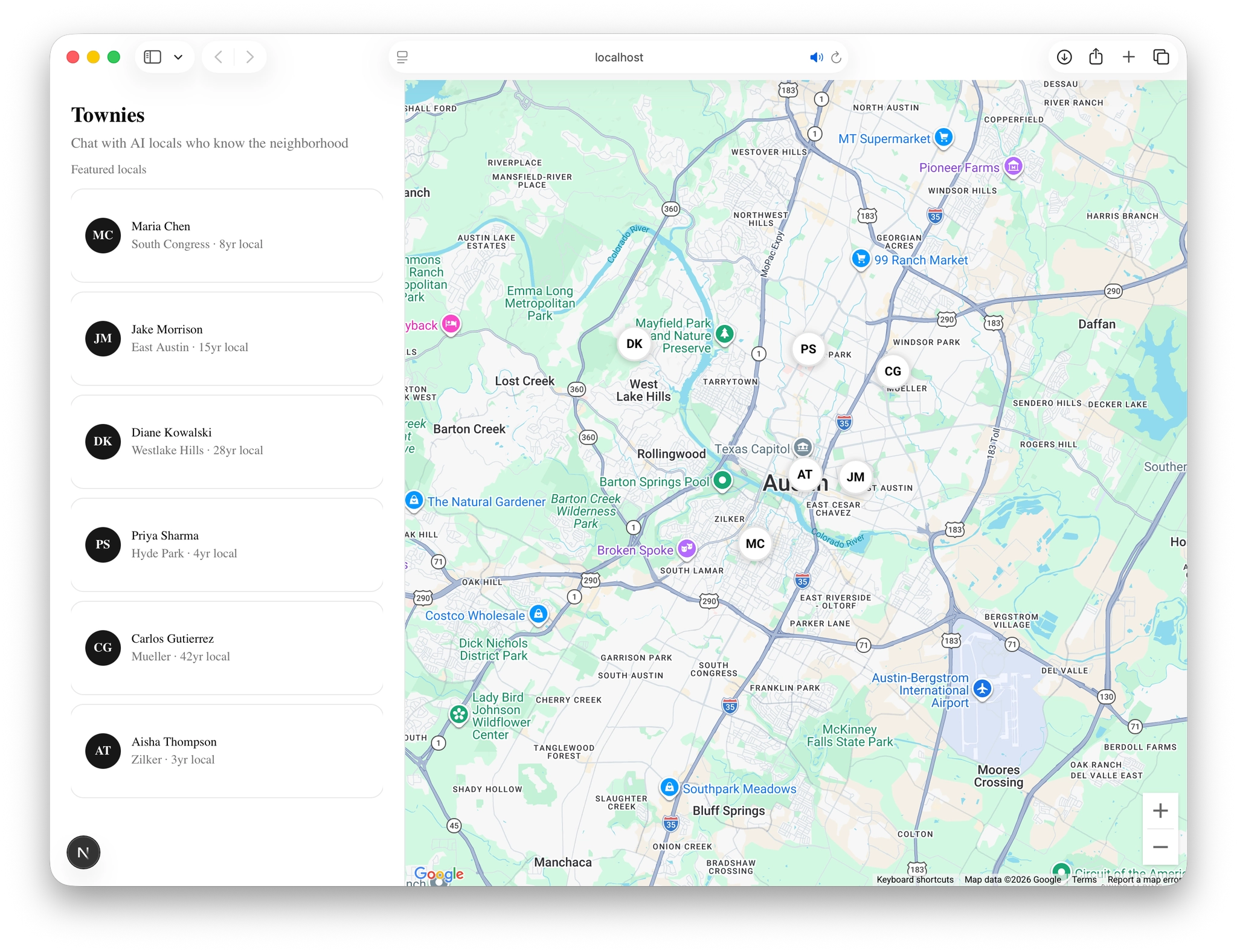
After playing with it for a few minutes, I couldn't help but go deeper.
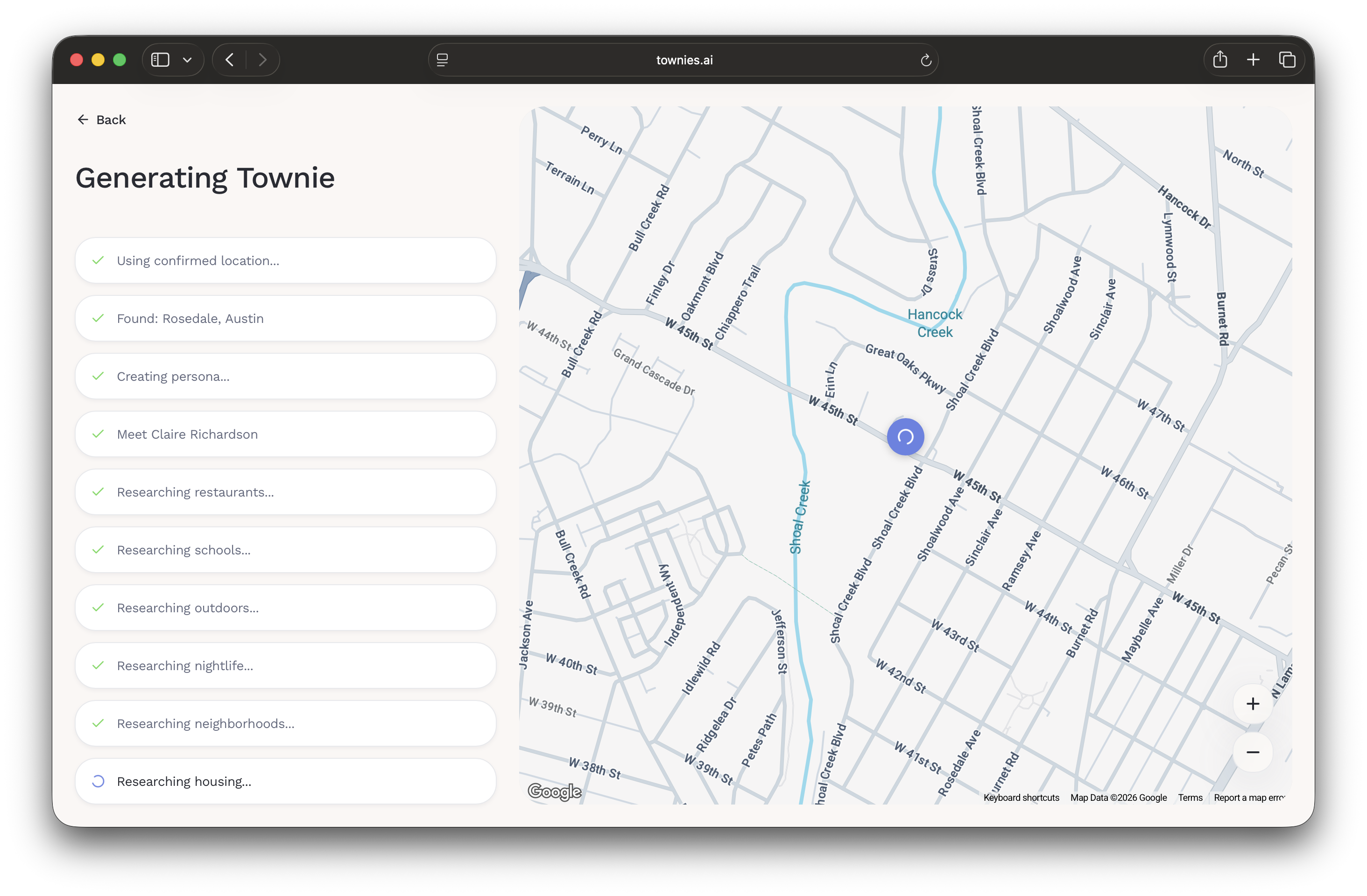
- One-shotted a design system by creating a design system doc from our old screens and components (Figma -> export -> generate doc -> implement).
- Expanded Townie souls to include more accurate locations, a stronger point of view, and deeper research on local topics like real estate, crime, points of interest, context of their creator, and voice and tone.
- Implemented ElevenLabs so Townies could speak in voices native to the area.
- Iterated a ton on the main views, flows, and components to recapture the friendly vibe we had with Newzip.
Tools I used
- Scott AI
- This is the best product for generating high-quality plans and specs.
- The combination of the opinionated output and the back-and-forth to get there is better than Cursor, Claude Code, and Codex planning features.
- Claude Code
- A month ago, Claude Code was my main driver. Today, I find myself using it only for big, clearly planned tasks.
- For smaller tasks, I find it overcomplicates things, and I end up spending more time fixing them.
- Although Gstack is super cool and I've had fun playing with it, I don't personally use complex sub-agent setups. I see these as temporary solutions that will fade as models improve. I would never tell a great engineer to "enter plan mode," and I don't think that's how coding agents should work either.
- Codex (5.2-5.4)
- A month ago, I might've said Codex is dead. Today, it's my main model for coding tasks.
- I use it across the desktop app, the terminal, and Cursor. I can't think of a task that it wasn't able to handle in the past couple of weeks.
- For design-related tasks, I primarily stay in the desktop app. I'll create threads for each component or view (eg townie detail, townie card, chat thread) and will stay in that thread until I'm happy with it.
- Cursor
- I barely touch Cursor anymore.
- It's mainly a reference. I use it to ask questions and navigate the codebase.
- Supabase
- It's crazy how good Supabase is compared to Neon or GCP.
- The ease of the platform makes me feel like I can spin up and maintain infinitely more applications.
- I wish they would acquire and bake in Resend.
- Figma
- I made the logo mark in Figma and exported design system elements out of Figma to create a markdown file.
- For the past year, Magic Patterns has been my main design tool for prototyping. They just launched a neat tool for design systems.
- Granola
- I did one user interview with my wife and used Granola to capture her feedback.
- I asked Granola to generate tasks, then pasted them into Notion AI to add them to the board.
My mindset lately is to use every tool on every project and never get married to one. I have no idea which tools will win and where things will be in a month, let alone a year.
Things that felt off
- Task management
- Managing tasks is the dumbest part of AI software development.
- You use AI to plan, code, design, get feedback, and research, but when it comes to organizing work, you still manually create Kanban boards in Notion or Linear and prioritize features and bugs using custom formulas like Geoff Ralston's Startup Priorities ((b * d) / c), which you have to estimate for each task. No, this can't be it.
- I want my task management to be proactive. Research the tasks I give you. Identify related things I should be thinking about. Go get inspiration from places I tell you. Give me one-click buttons to work with coding agents.
- MVP thinking
- I went with OpenAI STS out of the gate even though I knew I wanted to use ElevenLabs or Cartesia for custom voices.
- I thought, "I'll do this to keep things simple and move fast." This way of thinking is outdated and broken now that the cost of coding is approaching $0.
- Switching from OpenAI STS to ElevenLabs took me more time than if I had implemented it out of the gate.
- External services
- Signing up for and managing things like Google Maps Platform is tedious.
- Whenever I sign up for an external service or need to change something in it, I explicitly ask coding agents to walk me through it so everything is clear.
- What I wish instead is that the coding agents would just do it for me: Go to the service, sign up for it, choose the right configuration, and ask me if you are not sure.
- Plan mode
- Most issues I run into with coding agents today come from plan mode.
- I'll work on something a bit more complex. I'll think I'll go into plan mode, and then I'll generate this plan that looks really good at a glance, but then there's this bullet or two that just throw everything off.
- I use plan mode sparingly (for new apps, big features, or bugs). When I do, I review the plan thoroughly. If I don't feel like reviewing it thoroughly, I stay out of plan mode.
Closing
The speed and cost of software development with coding agents is crazy, but it's not effortless.
You still have to plan, make decisions, form opinions, choose defaults, and think through flows, complex systems, and information architecture. The craft of software development still matters. Coding agents just remove bottlenecks. The craftspeople who would've won with software are just going to win more easily with fewer people.
Looking back a couple of years, before coding agents, building the software was rarely the hard part. Building the right software for the right users at the right time is what's hard.